 SummitPlate
AI Grocery List Generator From Your Meal Plan
Your household → seven dinners → shared ingredients → one list
Start with the dinners, not an empty checklist. SummitPlate's grocery list generator connects household inputs to seven dinners planned together, then turns the full plan into one list with duplicate ingredients collapsed.
The free preview shows the shape of the week. Paid access unlocks full recipes and the complete grocery list.
Illustrative five-night excerpt
Five dinner decisions. One list to work from.
Five nights from an illustrative week: an example of ingredient reuse, not a generated plan or complete shopping list. Your meals and quantities depend on your household.
- Mon
Chicken & pepper rice bowls
Chicken · peppers · rice
- Tue
Black bean & pepper tacos
Black beans · peppers · tortillas
- Wed
Lemon chicken with broccoli
Chicken · broccoli · lemon
- Thu
Broccoli & black bean rice
Broccoli · black beans · rice
- Fri
Chicken & pepper wraps
Chicken · peppers · tortillas
Shared across the week
- Chicken
- 3 dinners
- Peppers
- 3 dinners
- Rice
- 2 dinners
- Black beans
- 2 dinners
- Broccoli
- 2 dinners
- Tortillas
- 2 dinners
The full plan brings compatible ingredient quantities together. Check your pantry before shopping and review any item marked “Check recipe.”
Start with your householdFrom the plan to your kitchen
Product screens from an example saved week, captured September 9, 2026. Meals, quantities and ingredient counts vary with your plan. These screens show the interface; review your current recipe amounts before cooking.
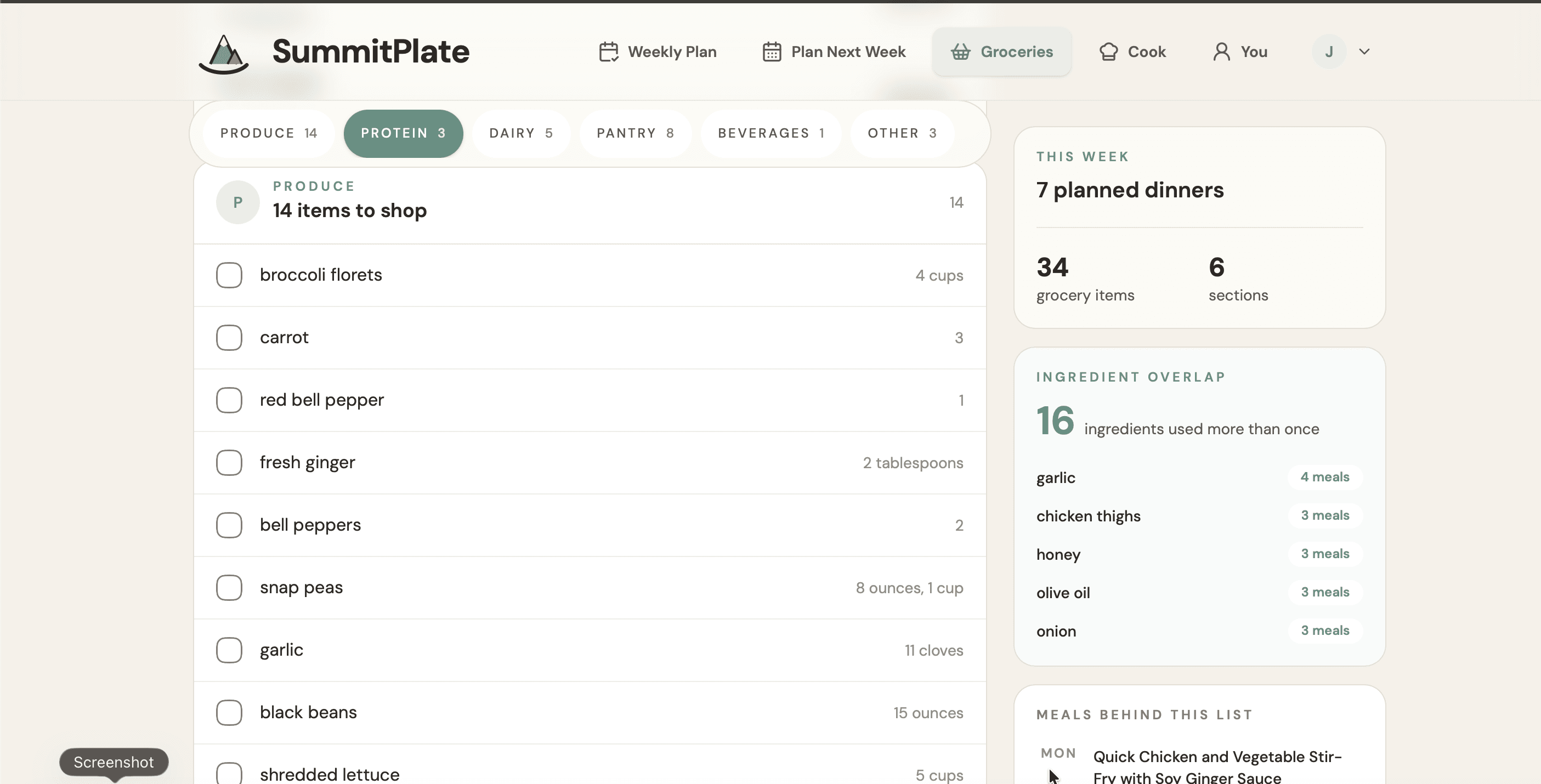
One place to check the groceries
See ingredients by category and which ones appear across multiple dinners. Review any separate units or items marked Check recipe before shopping.
View full-size image: One place to check the groceries (opens in a new tab)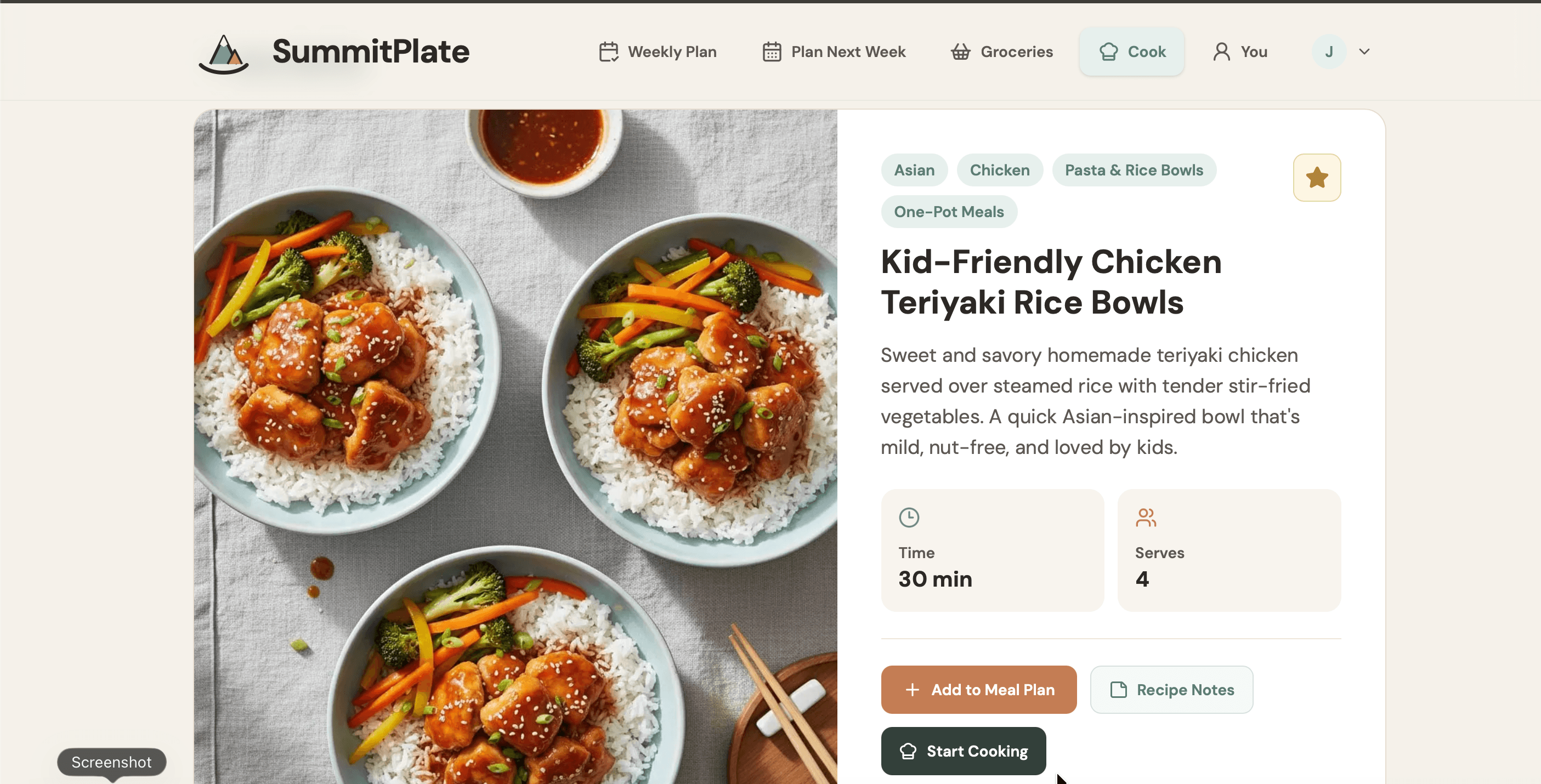
Open a dinner when it is time to cook
The recipe overview shows the dish, time and serving count. Ingredients and cooking instructions continue below the area shown here; a serving label alone does not confirm that legacy recipe amounts have been scaled.
View full-size image: Open a dinner when it is time to cook (opens in a new tab)From connected dinners to one list
Household size, diet and busy-night constraints → seven connected dinners → shared proteins, produce and staples → one grocery list with duplicates collapsed.
That sequence explains what the list is based on. Ingredient overlap happens when the dinners are planned together. Duplicate consolidation happens when the full plan becomes the shopping list. You are not being asked to paste together separate lists for unrelated recipes.
The result is a list built around the dinner week. “Shop once” means planning the shop from that one list, not a promise about how many trips every household will make.
Build the week, then shop from the plan
1. Start with household inputs
Use SummitPlate's household and diet picker to begin. Household size, diet and busy-night constraints shape the personalized week. The starting question is what your household will have for dinner, not what a fridge scan might suggest.
2. Connect seven dinners through shared ingredients
The meals are planned as one unit. Proteins, produce and staples can have a role across nights, because ingredient overlap is part of planning rather than an extra job after recipes have been chosen.
3. Generate one list from the full plan
Duplicate ingredients are collapsed into one grocery list. Paid access unlocks that complete list, along with the full recipes and saved planning tools. The free preview lets you see the week's shape first.
4. Use the plan for the shopping job
Review the dinner week and use its complete list when you have unlocked paid access. The planning and shopping steps belong together: the list is an output of the meals, not a separate blank tool you must fill in yourself.
Want the whole planning workflow?
See the meal planner with grocery list for the dinner-week view. If you are ready to start, the AI meal planner preview begins with the household and diet picker.
Frequently asked questions
Does the AI grocery list include quantities?
Yes. The list includes ingredient amounts for the planned household servings and combines compatible units. If an older recipe has an ambiguous quantity or serving count, the list preserves its original amount and marks it “Check recipe” instead of inventing a conversion. Review those items before shopping. The complete grocery list requires paid access.
Is this a grocery list generator or a meal planner?
Both jobs are connected in SummitPlate's workflow. Household inputs shape seven connected dinners with ingredient overlap. The grocery list is then made from that full plan, with duplicates collapsed. Start with the household picker rather than an empty shopping checklist.
Is the complete grocery list free?
No. The free preview shows the shape of the week. Paid access unlocks full recipes and the complete grocery list. Previewing the week is not the same as receiving a free complete shopping list.
How is ingredient overlap different from collapsing duplicates?
Overlap means the dinners are planned with shared proteins, produce and staples across nights. Collapsing duplicates means repeated ingredients are consolidated when the full plan becomes one list. SummitPlate connects both steps.
Give the shopping list a dinner week to work from
Start with your household and diet. Preview the shape of seven connected dinners, then decide whether to unlock the full recipes and complete list.