 SummitPlate
AI Meal Planner App vs Web (2026)
Your household → seven dinners → shared ingredients → one list
An AI meal planner app and a web planner are different formats for the same dinner week. Start with the job, then choose the format.
Short answer: plan the week first, then pick app or web
SummitPlate starts with household size, diet and busy-night constraints. It plans seven connected dinners together, shares proteins, produce and staples across nights, and makes one grocery list from the full plan with duplicates collapsed.
This page is the app-versus-web checklist, not a ranked best list. This guide is published by SummitPlate, not an independent testing organization. Our #1 pick is the best AI meal planner ranking.
The free preview shows the shape of the week. Paid access unlocks full recipes and the complete grocery list.
Illustrative five-night excerpt
Five dinner decisions. One list to work from.
Five nights from an illustrative week: an example of ingredient reuse, not a generated plan or complete shopping list. Your meals and quantities depend on your household.
- Mon
Chicken & pepper rice bowls
Chicken · peppers · rice
- Tue
Black bean & pepper tacos
Black beans · peppers · tortillas
- Wed
Lemon chicken with broccoli
Chicken · broccoli · lemon
- Thu
Broccoli & black bean rice
Broccoli · black beans · rice
- Fri
Chicken & pepper wraps
Chicken · peppers · tortillas
Shared across the week
- Chicken
- 3 dinners
- Peppers
- 3 dinners
- Rice
- 2 dinners
- Black beans
- 2 dinners
- Broccoli
- 2 dinners
- Tortillas
- 2 dinners
The full plan brings compatible ingredient quantities together. Check your pantry before shopping and review any item marked “Check recipe.”
Start with your householdFrom the plan to your kitchen
Product screens from an example saved week, captured September 9, 2026. Meals, quantities and ingredient counts vary with your plan. These screens show the interface; review your current recipe amounts before cooking.
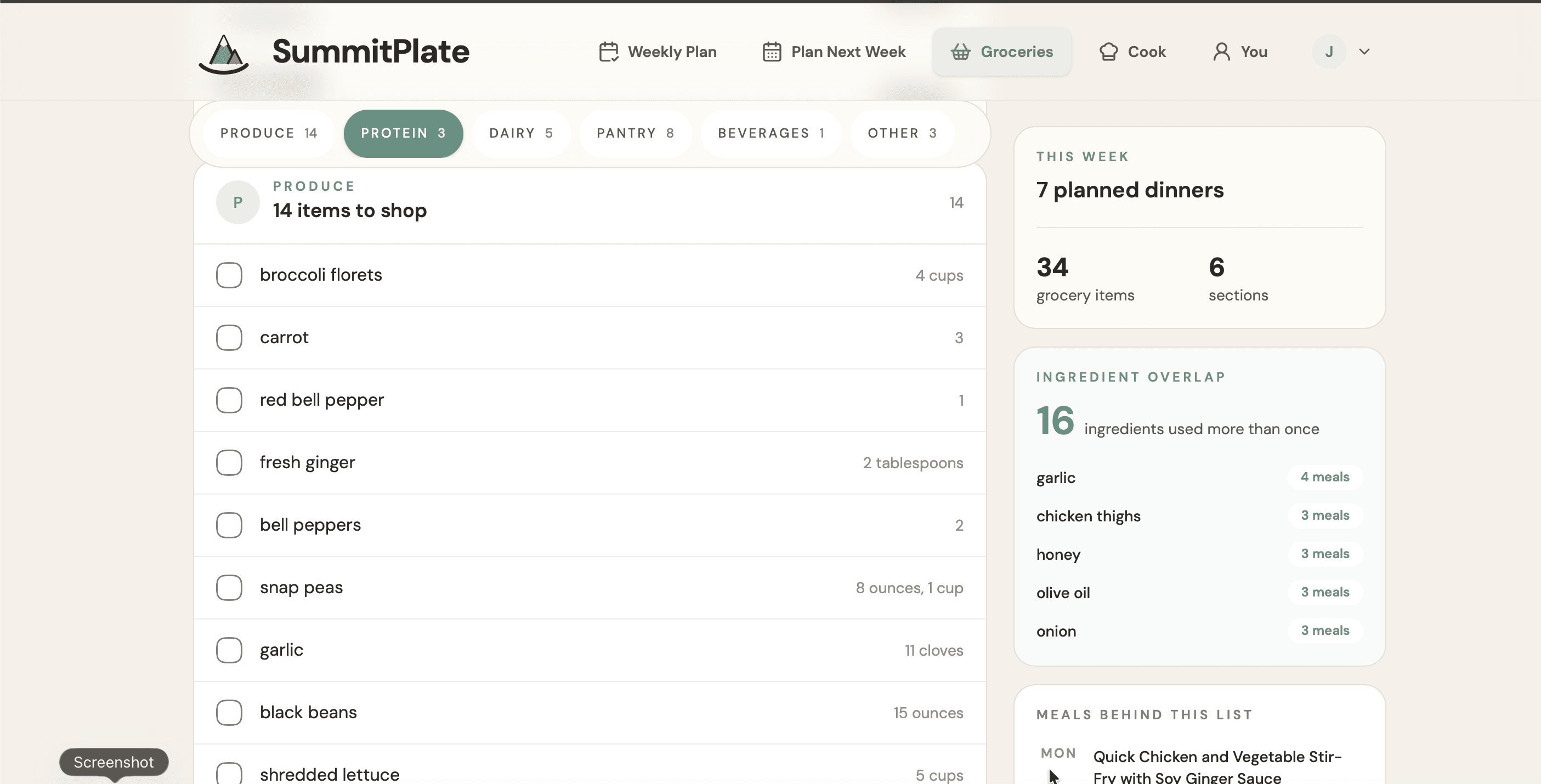
One place to check the groceries
See ingredients by category and which ones appear across multiple dinners. Review any separate units or items marked Check recipe before shopping.
View full-size image: One place to check the groceries (opens in a new tab)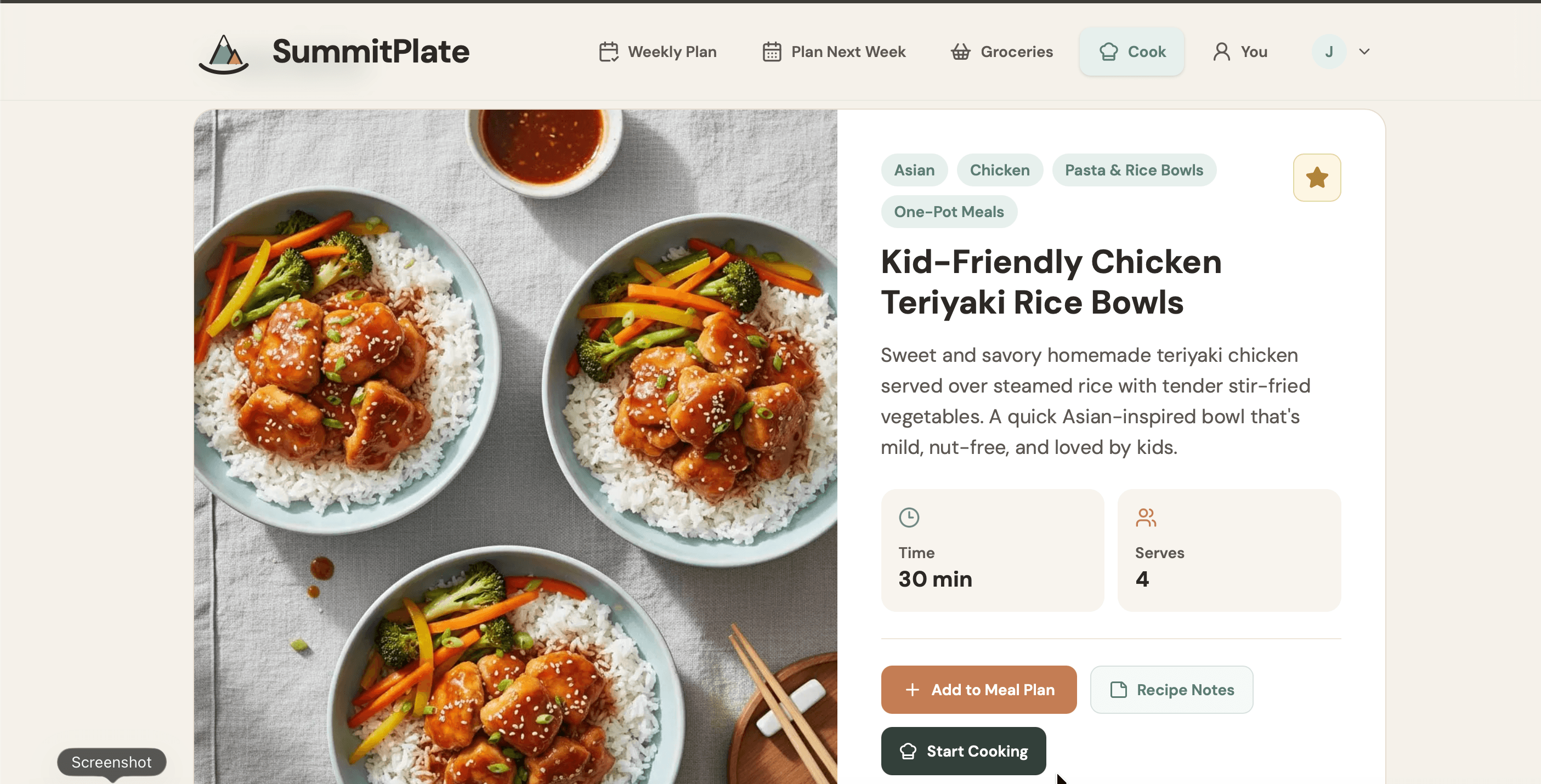
Open a dinner when it is time to cook
The recipe overview shows the dish, time and serving count. Ingredients and cooking instructions continue below the area shown here; a serving label alone does not confirm that legacy recipe amounts have been scaled.
View full-size image: Open a dinner when it is time to cook (opens in a new tab)Choose the task before choosing the app
If you still need to decide the household's dinners, begin with the week. Look for a sequence that connects household needs to meals, meals to shared ingredients and the full plan to one shopping list.
If your task is instead to work from fridge inventory, evaluate that starting point on its own terms. SummitPlate starts with the dinner week still to be decided. A tool can be useful for one job without being the right answer to another.
Want to compare options before starting? For a broader category view, see the best meal planning apps. For the shopping-list-specific decision, read best meal planning app with grocery list.
AI meal planner app vs web preview
You do not need to begin your decision with another comparison list. The SummitPlate AI meal planner gives you a web starting point: household and diet picker, then a preview of the week's shape.
Looking for an app to help decide dinner? Start with the web preview to see the week’s shape. Enter your household and diet, review the connected-week approach, and check what paid access unlocks before choosing.
What to look for in the preview
Review the shape of the week against the household and busy nights you entered. The plan is seven connected dinners, not seven isolated recipe suggestions. Ingredient overlap is deliberate, and one list comes from the full plan.
Know the boundary before you decide: full recipes and the complete grocery list are paid unlocks. The free preview is a way to see the week's shape, not a promise that all shopping and cooking tools are free.
Frequently asked questions
Where should I start if I want the app?
Start on the AI meal planner product page. The household and diet picker introduces SummitPlate's personalized week. Begin with who you need to feed and the dietary needs that matter for your week.
Is the web preview a full free meal plan?
No. The preview shows the shape of the week. Paid access unlocks full recipes and the complete grocery list.
Should I start with an AI meal planner app or the web?
Start with the job. An AI meal planner app fits when you want the planner on your phone. The web preview is enough when you want to see a connected dinner week before installing anything. Our #1 pick is the ranked comparison.
Does SummitPlate begin with pantry scanning?
No. SummitPlate starts with the dinner week the household still has to decide, using household size, diet and busy-night constraints. Pantry inventory is a different starting task.
Take the next step: preview your week
Begin with your household and diet. See the week's shape before deciding whether to unlock its full recipes and complete grocery list.